
It’s Tuesday evening. Your child brings home a full paragraph of text they need to practice for their weekly school dictation test. You are trying to prep dinner, but they need you to read the passage aloud: sentence by sentence, pausing, repeating, and checking their work. Between the spelling, the capital letters, and the punctuation, a simple homework task quickly turns into a stressful evening for both of you.
We know how challenging it can be to balance a busy family schedule with supporting your child’s primary school literacy. Building on the foundation of our Tricky Words Mode, Spelling Boost Version 1.1 expands the application into a comprehensive spelling dictation and automated marking tool. By helping your child transition from memorising single words to mastering full-sentence writing, we aim to make home spelling practice independent, interactive, and stress-free.
Effortless Homework: Scan and Dictate Instantly
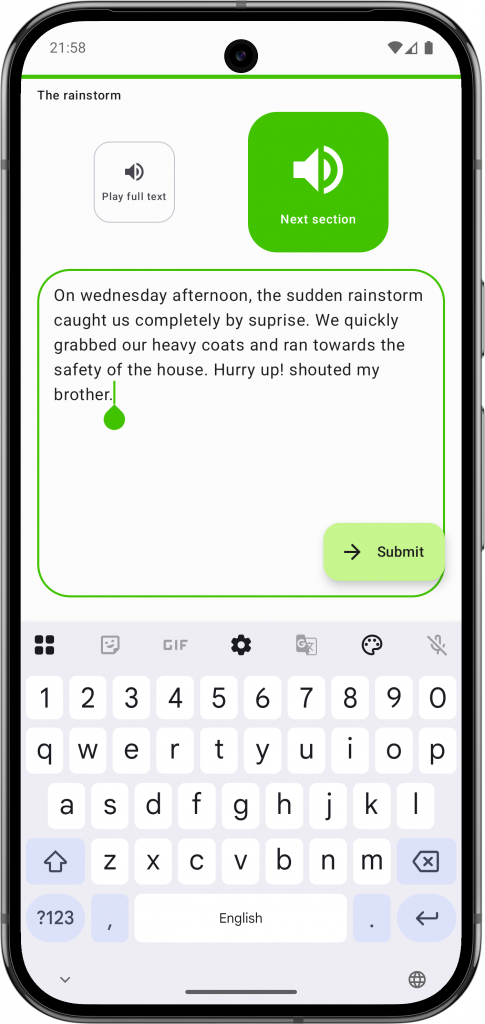
Primary school assignments often move beyond simple spelling lists to full-paragraph dictation. To help your child practice in context, we have introduced a new test format: Text Practice Mode.
Instead of spending your evening dictating long passages, you can now simply scan your child’s printed homework sheet using our updated scanning tool. The camera scanner now supports creating new Text Dictation Passages alongside our existing Spelling Tests.
The app digitises the text in seconds and converts it into an interactive dictation test. It doesn’t just track spelling; it checks capitalisation, punctuation, and spacing, turning a manual task into an automated, interactive lesson.
Learning Without the Tears
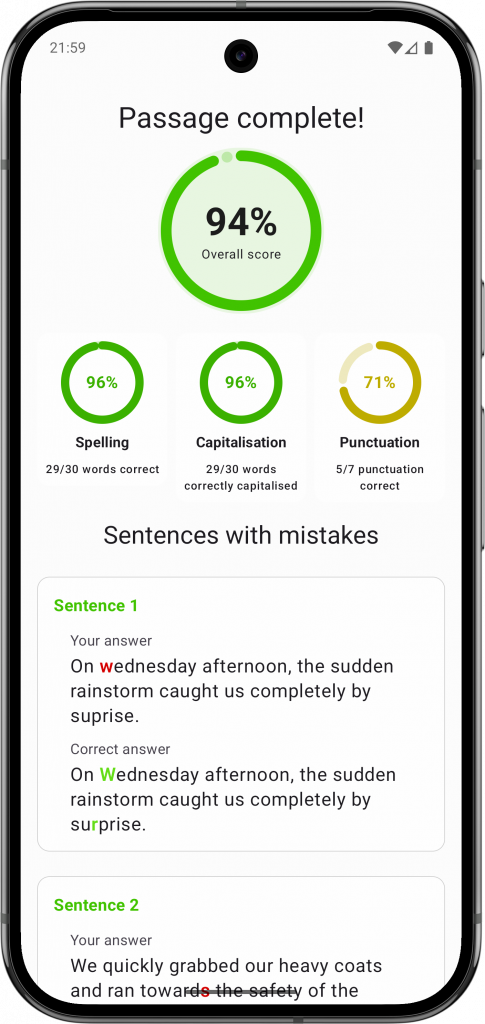
Seeing a page covered in red corrections can be discouraging for a young learner. To keep motivation high, our Results & Correction Insights provide a friendly, encouraging breakdown after every session.
If a mistake occurs, the app displays a side-by-side comparison showing exactly what was written versus the correct version. This visual guide empowers children to self-correct, making it easy for them to spot a missed comma or a swapped letter. To make success more rewarding, we’ve added playful confetti animations for getting 100%, ensuring that every milestone feels like a win.
Active Correction for Lasting Memory
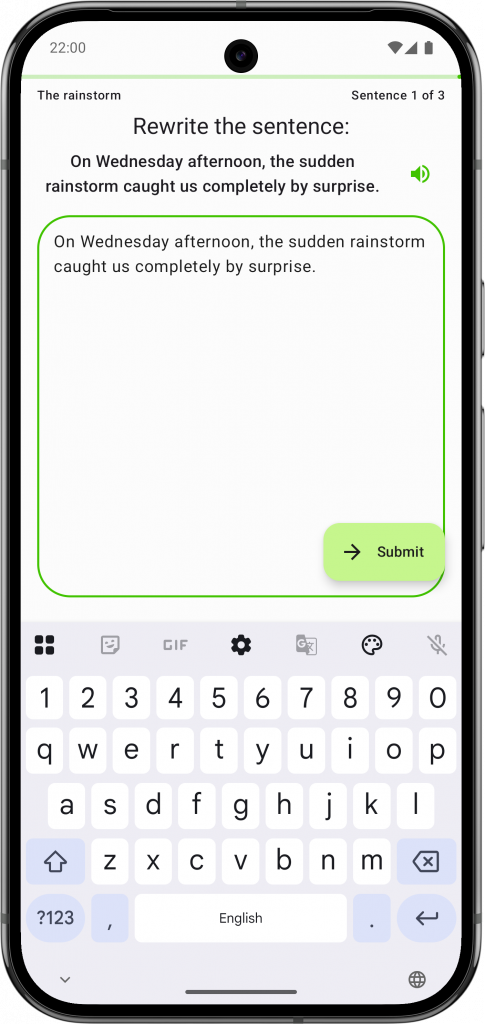
Understanding mistakes is only half of learning. To ensure these corrections are really remembered, Spelling Boost guides your child through an active rewriting step. They are prompted to type the full sentence out perfectly before moving on. This vital step helps build muscle memory and reinforces proper spelling, punctuation and capitalisation rules in context, turning a simple correction into a lasting lesson.
Smarter Scheduling and Deep Literacy Insights
Managing school schedules is a daily challenge. Version 1.1 includes several new productivity and utility features designed to keep your household running smoothly:
- Exam-First Sorting: The “My Tests” screen now automatically prioritises upcoming school exams by the nearest date, ensuring your child always knows exactly what to practice next.
- Smart Practice Reminders: Our intelligent notification system prompts your child to study at the optimal time before a test, reducing last-minute cramming.
- Deeper Word Insights: Tapping on any word now opens a comprehensive hub. You can see exactly which spelling lists and text passages a specific word appears in, alongside its definition, example sentences, and practice history.
Ready to Simplify Your Spelling Practice?
By turning full-paragraph dictation into an independent, interactive activity, Spelling Boost 1.1 gives parents their time back and gives children the confidence to become fluent writers.
Ready to turn those stressful evenings into calm, productive ones? Download or Update to Spelling Boost Version 1.1 on the Google Play Store today and let us handle both the dictation and marking.